Expansion gear is often sold through a familiar logic. More ports, more outputs, more compatibility, more ways to connect more things at once. On paper, that sounds like the clearest path to value. If a device can do more, it should be better.
But that is not always how it works in real life.
For many users, the most satisfying setup is not the one with the longest feature list. It is the one that fits the way work actually happens. A person editing video at a fixed desk, a hybrid worker moving between home and office, and a traveler building a temporary setup in a hotel room may all need expansion gear, but they do not need the same kind of expansion gear. That is why workflow fit often matters more than feature count.
The problem with feature-first thinking is that it assumes every extra function adds equal value. In practice, many features are only useful if they match the routine around them. A second display output sounds helpful, but not if the user rarely works from an external monitor. Extra card slots seem convenient, but not if file transfers are only occasional. More USB ports may look impressive in a comparison chart, yet they do not necessarily improve the day if the user still has to unplug, rearrange, or troubleshoot every time they sit down to work.
What most people are really trying to solve is not a lack of ports by itself. They are trying to reduce friction. They want to connect quickly, switch contexts easily, and avoid small interruptions that break concentration. In that sense, the role of expansion gear is less about adding technical possibility and more about supporting a smoother rhythm of work.
That is especially true now that work happens across more than one setting. A fixed desktop used to be the obvious center of a setup. Today, many people work across kitchen tables, office hot desks, shared spaces, client sites, and home offices. The needs of each space are slightly different, and that changes what “best” really means.
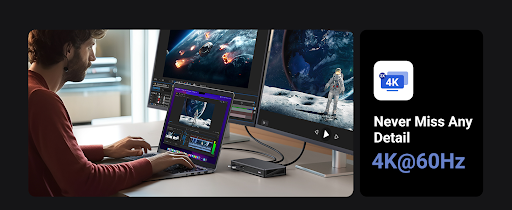
The best docking station for one person may be a powerful desktop anchor that stays connected to monitors, Ethernet, storage, and charging all day long. In that case, stability matters more than flexibility. The value comes from turning arrival at the desk into one repeatable motion. Connect once, and the rest of the environment is ready. That kind of product succeeds because it supports consistency, not because it happens to include every possible feature.
On the other hand, the best usb hub for someone else may be a lightweight, portable tool that handles the few connections they actually use most often. It may not need to power multiple displays or replace a full desktop environment. It just needs to travel easily, work reliably, and remove enough friction to make a laptop more usable on the go. In that case, smaller and simpler may be the smarter choice.
This is where many buying decisions go wrong. People often buy for imagined future complexity rather than present workflow reality. They choose the device that seems most capable in theory, then discover that the extra size, extra cables, or extra setup steps create more friction instead of less. A product can be technically stronger and still be less helpful if it does not match the way the user moves through the day.
Good workflow fit starts with a more grounded question: what needs to stay connected, and when? For some people, the answer is almost everything, all the time. They want a laptop to function like a desktop the moment it touches the desk. For others, the answer is only a handful of essentials, such as storage, a mouse, or a display during certain hours. These are very different problems, and they should not lead to the same recommendation.
This is also why the language of “future-proofing” can be misleading in this category. A setup that looks more future-ready is not always more useful. Sometimes it simply adds weight, cost, and complexity before there is a real need for them. A better approach is to think in terms of current workflow pressure points. Where does work slow down? What gets unplugged too often? What interrupts focus? Which connections need to feel automatic, and which ones only need to be available occasionally? The answers usually point more clearly to the right solution than any feature checklist can.
Another reason workflow fit matters is that good tools are often defined by what they make disappear. Users rarely remember a port count during a normal workday. They remember whether the monitor came on immediately. They remember whether the SSD transfer was easy. They remember whether switching from one workspace to another felt smooth or annoying. The products that win long term are often the ones that remove these small but repeated points of resistance.
That is why the best docking station is not necessarily the one with the most ambitious specification sheet. It is often the one that best supports a stable, repeatable desk routine. In the same way, the best usb hub is not always the one with the most connections. It is often the one that fits naturally into a lighter, faster, more mobile way of working.
In the end, expansion gear should serve the workflow, not the other way around. Features matter, but only when they solve real problems in a real routine. The better question is not “How much can this device do?” It is “How well does this device fit the way I actually work?” Once that question becomes the focus, better decisions usually follow.