If you’ve spent any time scrolling through Twitter — or X, depending on which name you’ve committed to — you’ve probably noticed that video dominates the feed in a way it didn’t even two years ago. Text tweets still have their place, but the algorithm clearly favours video content, pushing clips higher in the timeline and giving them significantly more reach than static posts. Twitter’s own data has consistently shown that tweets with video attract ten times more engagement than those without.
The problem is that most people aren’t video editors. You might have a great idea for a short clip — a product demo, a quick take on industry news, a behind-the-scenes moment — but the gap between the idea and a polished, properly formatted video feels wide. Twitter has specific requirements for aspect ratios, file sizes, and video length that don’t always match what you’ve shot on your phone or exported from a generic editing tool. The result is that many creators either post suboptimal video or skip video content entirely, leaving engagement on the table.
That gap is exactly where purpose-built tools come in, and the current generation of AI-assisted video platforms has made the process dramatically simpler.
Why Twitter-Specific Video Tools Exist
You might wonder why you’d need a tool specifically for Twitter video when general-purpose editors like Premiere Pro or CapCut exist. The answer comes down to workflow friction.
Twitter supports specific video specs — MP4 format, H.264 encoding, a maximum file size of 512MB, and recommended aspect ratios of 16:9 for landscape or 1:1 for in-feed visibility. If you’re repurposing a YouTube video or an Instagram Reel, the dimensions are wrong, the length might exceed what performs well on the platform, and the text overlays may be positioned for a different screen layout.
Pollo AI addresses this with a dedicated Twitter Video Tool that streamlines the entire process of creating and formatting video content specifically for the platform. Rather than forcing you to learn the technical specs and manually adjust your exports, the tool handles formatting automatically so you can focus on the content itself. Pollo AI built this as part of its broader suite of creative tools designed for content creators and marketers, and the Twitter-specific workflow reflects an understanding that each social platform has its own visual language and technical requirements.
What makes this approach practical is the time savings. Instead of creating a video in one tool, checking Twitter’s current specs, reformatting, re-exporting, and hoping the compression doesn’t destroy your visual quality, you work within a pipeline that’s already optimised for the destination. For anyone posting video to Twitter regularly — whether that’s daily brand content or weekly thought-leadership clips — those saved minutes compound into hours over the course of a month.
What Actually Performs Well as Twitter Video Content
Before diving deeper into tools, it’s worth stepping back and considering what kind of video content actually works on Twitter, because the format shapes the strategy.
Short-form commentary videos — someone speaking directly to camera for thirty to sixty seconds about a trending topic — consistently perform well because they combine the immediacy of a text tweet with the personal connection of video. The key is speed. Twitter moves fast, and a video that responds to a trending conversation within the first few hours has a dramatically better chance of gaining traction than one posted the next day.
Tutorial snippets are another strong format. Rather than a full how-to video, a fifteen-second clip showing one specific technique or tip tends to get shared widely because it delivers immediate value without asking for a large time commitment from the viewer.
Text-on-screen videos — where animated text tells a story or presents data without any spoken narration — have become surprisingly popular, partly because a large percentage of Twitter users scroll with their sound off. These are also among the easiest types of video to produce with AI tools because they don’t require filming, voice recording, or complex editing.
Behind-the-scenes clips and raw, unpolished footage often outperform highly produced content on Twitter. The platform’s culture rewards authenticity, and a slightly rough video that feels genuine tends to generate more engagement than a corporate-polished piece that feels like an advertisement.
Choosing the Right Tool for Your Twitter Video Workflow
The market for video creation tools has expanded considerably, and several platforms now offer features relevant to Twitter content creation, each with a slightly different strength.
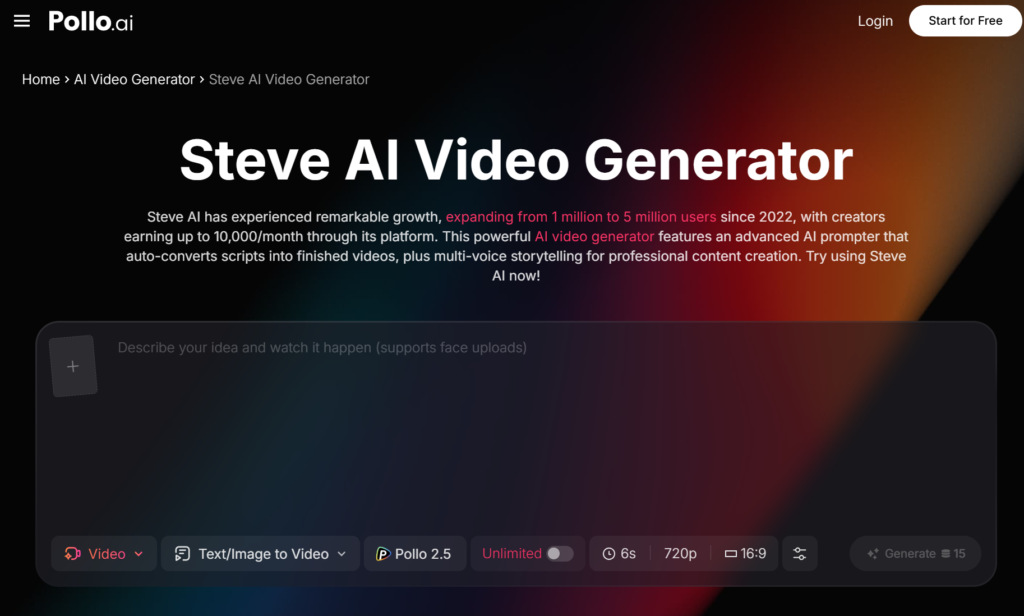
Steve AI takes a distinctive approach by specialising in turning text content into animated videos. You can feed it a blog post, a script, or even a few bullet points, and it generates a video with relevant visuals, transitions, and text overlays. For Twitter users who want to convert written threads or article summaries into short video clips, this text-to-video workflow is particularly efficient. Pollo AI provides access to Steve AI’s capabilities, making it easy to experiment with this approach alongside other video creation methods on the same platform.
Canva’s video editor has become a popular choice for creators who are already using the platform for graphics. It offers Twitter-friendly templates and a drag-and-drop interface that’s approachable for beginners, though it lacks the AI-driven automation that makes dedicated tools faster for high-volume production.
For creators who need more granular control, CapCut offers a robust mobile and desktop editing experience with strong template libraries. It’s particularly well-suited for creators who are comfortable with timeline-based editing and want precise control over cuts, transitions, and effects.
Pollo AI sits in a sweet spot for creators who want quality output without a steep learning curve. Its complete suite of AI video and image creation tools — including advanced video capabilities, creative applications, and trending effects — means you can handle everything from initial concept to final Twitter-ready export within a single platform. For content creators and marketers producing video across multiple social channels, that consolidation of tools into one workspace reduces the context-switching that slows down production.
Practical Tips for Twitter Video That Gets Noticed
Beyond choosing the right tool, a few practical principles consistently separate high-performing Twitter videos from those that disappear into the feed.
Hook viewers in the first two seconds. Twitter’s autoplay feature means your video starts playing as someone scrolls past it, and you have an incredibly narrow window to make them stop. A surprising visual, a bold text overlay, or an unexpected opening frame works far better than a logo animation or a slow fade-in.
Design for sound-off viewing. Add captions or text overlays to every video. Twitter’s own research indicates that a significant majority of mobile users watch video without audio, and a video that’s incomprehensible on mute loses most of its potential audience.
Keep it shorter than you think it should be. While Twitter supports videos up to two minutes and twenty seconds — or longer for some accounts — the sweet spot for engagement tends to be between fifteen and forty-five seconds. Say what you need to say and stop. Viewers respect brevity, and the algorithm rewards completion rates.
Post at the right time for your audience. Video content posted during peak activity hours for your followers gets an initial engagement boost that compounds as the algorithm picks it up. Most analytics tools can tell you when your audience is most active, and scheduling your video posts accordingly makes a measurable difference.
Making Video a Sustainable Part of Your Twitter Strategy
The biggest barrier to consistent Twitter video isn’t creativity or even skill — it’s sustainability. Anyone can produce one great video. The challenge is producing good video content week after week without burning out or letting quality slide.
This is where the right tooling makes the difference between a strategy that lasts and one that fizzles after a month. When the process of going from idea to published video takes thirty minutes instead of three hours, you’re far more likely to maintain consistency. Platforms like Pollo AI reduce that friction by handling the technical complexity — formatting, encoding, optimisation — so you can spend your energy on the part that actually matters: having something worth saying.
The creators who build real audiences on Twitter through video aren’t necessarily the ones with the best production values. They’re the ones who show up regularly with content that’s relevant, timely, and formatted properly for the platform. The tools have caught up to the ambition. The rest is just showing up.