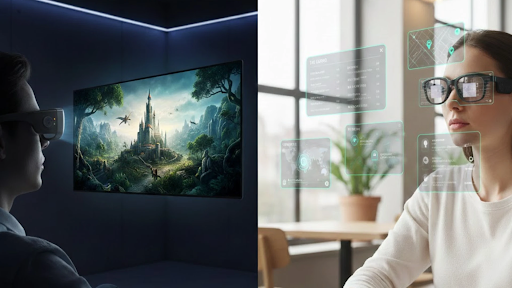
AR smart glasses hit the mainstream in 2026. The market now spans dozens of models priced from $199 to over $1,300. But the term covers three fundamentally different product types. Picking the wrong category remains the most common—and costliest—mistake first-time buyers make.
This guide breaks down how smart glasses actually work, which models deliver real value, and which traps drain your wallet. Key specs below are cross-checked against manufacturer pages and third-party reviews where available.
Not All Smart Glasses Work the Same Way
The label “smart glasses” now applies to wearable monitors, standalone AR computers, and Bluetooth sunglasses with cameras. These three categories of smart glasses share a name but almost nothing else. Understanding the split saves you from a purchase you will regret.
Display Glasses
Display glasses work as wearable screens. They plug into a phone, laptop, or game console through USB-C and project a virtual display—roughly 100 to 200+ inches depending on model and viewing distance. They rely on an external host for content and power, though some include onboard display-processing chips.
AI-Powered AR Glasses
These are standalone computers worn on your face. They use transparent waveguide lenses to overlay digital information onto the real world: navigation arrows on a sidewalk, translated subtitles during conversation, or AI-generated answers triggered by voice.
Audio-Camera Glasses
Audio-camera glasses carry no display at all. They pair open-ear speakers and a camera inside a traditional sunglass frame. You capture POV photos, stream music, and issue voice commands. Think Bluetooth earbuds shaped like everyday sunglasses.
Why the Category Matters
Buying a display glass when you wanted AI translation—or an audio frame when you needed a big screen—wastes money. Before comparing any specs, decide which category matches your daily routine. Everything else follows from that single choice.
How the Display Technology Works
Once you settle on a category, display quality becomes the deciding factor. Two competing panel technologies define the current generation of AR smart glasses, and each serves a different environment. Matching the panel to your use case prevents overspending on specs you never need.
Micro-OLED vs. Micro-LED
Micro-OLED panels produce deep blacks, contrast ratios reaching 200,000:1, and wide color gamut coverage (up to 98% DCI-P3). They suit movies, gaming, and content consumed in dim settings. Micro-LED panels prioritize brightness—some models peak at 6,000 nits—making them readable outdoors under direct sunlight.
Brightness, Resolution, and Refresh Rate
Brightness decides where you can wear the glasses. The minimum for indoor use sits around 500 nits; travel scenarios like airplane cabins demand 1,200 nits or higher. Resolution below 1080p per eye looks pixelated on large virtual screens. For gaming, 120Hz helps reduce perceived motion blur and latency; 60Hz handles video playback fine.
HDR and Color Accuracy
HDR10 typically indicates a 10-bit pipeline with wider dynamic range. Among current AR smart glasses, the RayNeo Air 4 Pro stands out because the company explicitly markets it as the world’s first HDR10 AR display.
Key rivals such as XREAL 1S and VITURE Pro XR do not list HDR10 on their official spec pages—a gap that may narrow as the market matures, but one that currently separates the Air 4 Pro from the field.
Eye Safety Specs
PWM dimming frequency controls screen flicker. Lower PWM frequencies can cause discomfort for flicker-sensitive users over extended sessions. Higher-end AR smart glasses now reach 3,840Hz with TÜV certification for low blue light—useful comfort signals, though not guarantees against fatigue.
What to Buy in 2026
The right pair of smart glasses depends on one question: what will you use them for most? Here are three use-case buckets with specific models worth considering. Prices reflect retail at the time of writing.
Best for Movies and Gaming
For viewers who prioritize movies and gaming, the RayNeo Air 4 Pro ($299) makes the strongest value case: HDR10 Micro-OLED, 1080p per eye at 120Hz, 1,200-nit peak brightness, and B&O-tuned audio—all at 76 grams with a 201-inch perceived screen.
It connects via USB-C on supported DP Alt Mode devices like iPhone 15+, Steam Deck, and MacBook; consoles such as PS5 may require an HDMI adapter. Reviews note some edge softness and no IPD adjustment as trade-offs.
The XREAL 1S (~$449) offers 1200p-per-eye resolution, a 52-degree FOV, 700-nit brightness, and Bose speakers at 82 grams; it does not list HDR10. The VITURE Pro XR ($359–$459) adds myopia dials and electrochromic dimming but may need a dock for Switch.
Best for AI and Productivity
The RayNeo X3 Pro ($1,299) pairs a Micro-LED waveguide display with cloud-assisted AI translation across 14 languages, powered by Gemini 2.5, peaking at 6,000 nits outdoors. The Even Realities G1 ($599+) offers turn-by-turn navigation in a 44-gram frame but uses monochrome green text.
Best for Social Content
Ray-Ban Meta Gen 2 (from $379) remains the benchmark for display-free social capture: a 12MP camera records 3K video, battery lasts up to eight hours, and the frame weighs around 51–53 grams depending on lens. It serves content capture and voice AI—not screen-based tasks. Oakley Meta Vanguard adds IP67 water resistance for athletes.
How the Top Models Compare
The table below compares leading AR smart glasses and audio-camera models across categories. Specs are sourced from official product pages and third-party reviews.
| Feature | RayNeo Air 4 Pro | XREAL 1S | VITURE Pro XR | Ray-Ban Meta Gen 2 |
|---|---|---|---|---|
| Category | Display | Display | Display | Audio-camera |
| Price | $299 | ~$449 | $359–$459 | from $379 |
| Display Type | Micro-OLED | Micro-OLED | Micro-OLED | None |
| HDR10 | √ | × | × | N/A |
| Resolution | 1080p/eye | 1200p/eye | 1080p/eye | N/A |
| Refresh Rate | 120Hz | 120Hz | 120Hz | N/A |
| Brightness | 1,200 nits | 700 nits | 1,000 nits | N/A |
| Audio | B&O co-tuned | Bose speakers | Harman tuned | Open-ear |
| Weight | 76g | 82g | 77g | 51–53g |
| Camera | × | × | × | 12MP |
Among display glasses, the Air 4 Pro combines HDR10, high brightness, and B&O audio at the lowest price in this group. Ray-Ban Meta Gen 2 serves a different purpose—social capture, not immersive viewing. Comparing these two types of smart glasses is like comparing a projector to a dashcam.
What to Avoid
First-time buyers keep repeating the same mistakes. The following pitfalls show up consistently in forum threads, return-reason data, and Reddit discussions about Smart Glasses purchases gone wrong. Avoiding these traps saves both real money and long-term frustration.
Buying the Wrong Category
This is the number-one error. Audio-camera glasses like Meta Ray-Bans have no screen. Display glasses like the Air 4 Pro have no standalone AI. Standalone AR smart glasses like the X3 Pro are not optimized for cinematic immersion. Match the product to your use case before checking any other spec.
Ignoring Total Cost
Sticker price tells half the story. Factor in these common extras before checkout:
- Prescription lens inserts: $50–$150 depending on brand
- Adapter docks for Nintendo Switch or older iPhones: $89–$129
- Clip-on shades or sound tubes: $15–$100
Some AR smart glasses require zero accessories out of the box—USB-C plug-and-play covers most devices. Others need two or three paid add-ons to match the same functionality. Always calculate the total cost of ownership before comparing sticker prices.
Overlooking Brightness and Eye Protection
A 500-inch virtual screen means nothing at 400 nits on a sunlit airplane. Minimum usable brightness for AR smart glasses meant for travel sits at 1,200 nits. For eye safety, confirm the PWM dimming rate. Budget smart glasses often omit this spec entirely. Key thresholds to verify before purchase:
- PWM dimming: 3,000Hz+ for extended comfort
- Certification: TÜV or equivalent for low blue light
- Weight distribution: balanced front-to-back ratio prevents nose-bridge fatigue
One More Thing
AR smart glasses in 2026 solve real problems—portable cinema, hands-free translation, private productivity screens. The technology works. The challenge is matching the right category and the right specs to your actual life. Start with the category. Verify the display numbers. Calculate the total cost. Skip the hype.