There is a well-documented gap between watching a lesson and actually retaining the information from it. A learner can sit through a forty-minute video, feel like they understood everything, and then struggle to recall the key points an hour later. Text overlays are one of the simplest and most effective ways to close that gap. CapCut’s online video editor includes a full text overlay system with animation controls, style presets, and precise timing tools, all accessible in the browser with no editing background needed.
Displaying key terms, formulas, definitions, and summaries directly on screen helps learners process information through both visual and auditory channels at the same time. This makes lessons easier to follow, especially for students learning complex or unfamiliar topics. Educators can also use text overlays to highlight important timestamps, break long lessons into sections, or reinforce step-by-step instructions during demonstrations. Short animated text cues keep viewers engaged and reduce the chance of students losing focus during longer videos. Over time, consistently structured visual lessons can improve comprehension, retention, and overall learning outcomes for online audiences.
Why Most Educational Videos Do Not Use Text Effectively
Educational creators often fall into one of two failure modes with on-screen text. The first is using no text at all and expecting learners to retain everything from audio alone. The second is overloading the screen with text and essentially recreating a slideshow, which removes the human connection that makes video learning more engaging than reading a document.
The right approach is selective, purposeful text that reinforces the spoken content at specific moments without overwhelming the viewer. Supporting graphics that learners can download and reference after watching are another powerful layer. CapCut’s online photo editor lets you create clean, branded visual assets to accompany each lesson module. Use the Text tool to add key terms and definitions to a plain background, use Shapes to create simple process diagrams, and apply your course color scheme through the Background and Adjust tools to give all supporting materials a consistent look.
Getting More From Your Recorded Lessons
A lesson video with well-placed text overlays is a complete educational asset for visual learners. But not all learners are visual. Some prefer to listen while commuting, exercising, or doing something with their hands. After exporting your finished video, you can extract audio from video. Open the Audio Extractor under Tools, upload your finished lesson video, and download the isolated audio as an MP3. Share this alongside the video version of each lesson. One recording session produces content in two formats, reaching a wider range of learners without any additional time in front of the camera.
How to Add Text Overlays in CapCut: A Step-by-Step Guide
CapCut’s Text Overlay tools live inside the video editor. Open capcut.com in your browser, click Try Online, and open a new project.
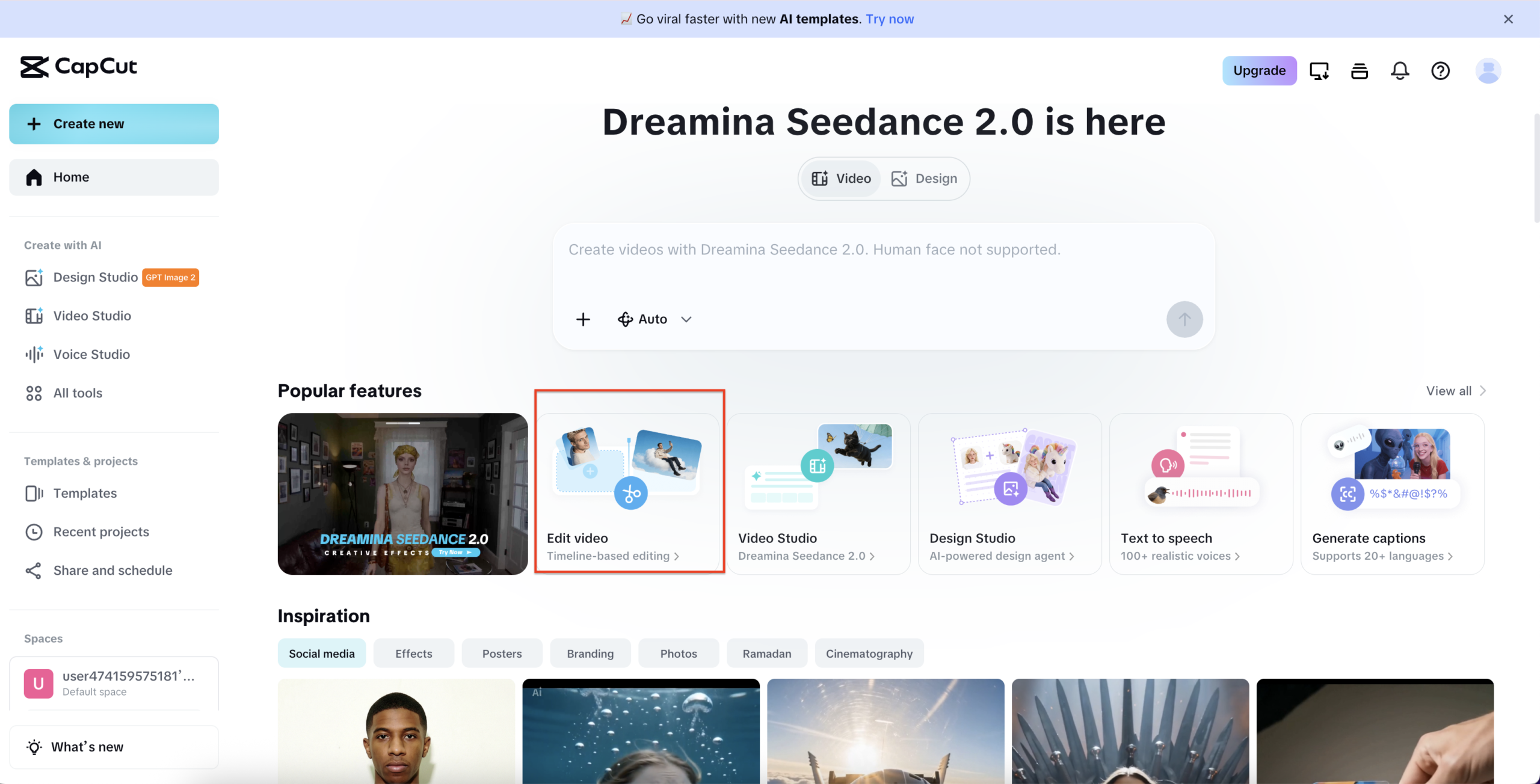
Step 1: Open the Text Panel and Add a Template
Click Edit video on the CapCut homepage. Inside the editor, click the Text icon on the left panel. The panel opens with two tabs at the top: Text templates and Text effects. Under Text templates, you will see categories including Basic, Retro, Advertisement, Social media, and Vlog. Click any template to add it to your timeline. It appears as an orange bar above your video clip. The right panel shows Basic settings including the text content, Transform controls for Scale, Position, and Rotate, and an Add to brand kit option.
Step 2: Style Your Text Using Presets
With your text overlay selected, click the Presets tab on the far right panel. A grid of style presets appears showing different font and color combinations including plain white, bold black, yellow highlight, purple, pink, and outlined variations. Click any preset to apply it instantly to your text overlay in the preview. Use the Basic tab on the right panel to adjust Scale, Position X and Y, and Rotation to reposition the text exactly where you want it on the canvas.
Step 3: Add Animation and Export
With your text selected, click the Animat. tab on the far right panel. The Animation panel opens showing three tabs: In, Out, and Loop. Under the In tab you will see animation options including None, Cyber Shake, Dissonant, Flash Drift, Glow Spawn, Phantom D., Bright Snap, Glow Blink, and Magic Desc. Click any animation to apply it. Set the In and out motion duration using the slider, currently at 0.5s, and the Loop duration also at 0.5s. When done, click Export in the top right to save or share your video.
The Long-Term Value of Well-Structured Educational Content
A well-produced lesson video, complete with clear spoken instruction, purposeful text overlays, and downloadable supporting materials, is an asset that continues delivering value long after it was recorded. Unlike a live lesson that requires your presence every time it runs, recorded educational content works while you sleep, scales without additional effort, and can be updated one module at a time.
The difference between educational content that learners complete and content they abandon is almost always structure. Text overlays are a simple, practical, and immediately implementable way to add that structure to your lessons.