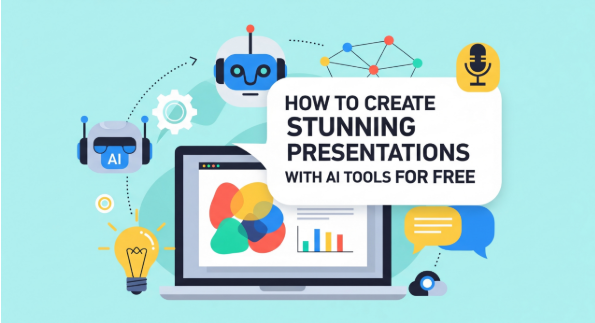
For decades, the phrase ‘Death by PowerPoint’ has haunted the hallways of schools and offices worldwide. We have all sat through those endless, text-heavy slide decks that seem to drain the life out of even the most interesting topics. But today, we are witnessing a radical shift in how information is visualized and shared. Artificial Intelligence is not just a buzzword; it is a powerful design partner that is helping students, educators, and professionals break free from the constraints of traditional slide creation. By automating the most tedious parts of the design process, from layout alignment to content outlining, AI tools are making it possible for anyone to create stunning, high-impact presentations in a fraction of the time it used to take.
The AI Revolution: Why Presentation Design is Changing
The traditional workflow of creating a presentation involved hours of searching for the right images, manual formatting of every text box, and the struggle to maintain a consistent aesthetic across twenty or more slides. AI-driven presentation makers change this dynamic by shifting the focus from ‘how’ to design to ‘what’ to communicate. These tools can take a simple topic sentence and instantly generate a logically structured outline, suggested talking points, and a professionally curated visual theme. This allows the presenter to spend more time refining their message and practicing their delivery, rather than wrestling with software menus. The result is a more engaging experience for the audience and a much more efficient process for the creator.
Key Benefits of Using AI for Your Slides
The most immediate benefit of AI in presentations is the democratization of high-end design. You no longer need to be a graphic designer to produce a deck that looks like it came from a professional agency. Smart layout engines can automatically adjust your content to fit perfectly on the slide, ensuring balance and readability every time. Furthermore, AI tools often include ‘one-click’ theme switching, allowing you to instantly change the entire look and feel of your presentation to match your brand or the tone of your event. Additionally, these tools can suggest relevant icons, charts, and even high-quality stock photography based on the keywords in your text, creating a cohesive visual narrative that reinforces your spoken words.
Choosing the Right Free AI Tools for High-Impact Presentations
With so many new AI tools entering the market, it can be difficult to know which ones offer the best balance of power and ease of use. For many, the ability to work offline or within a familiar ecosystem is just as important as the AI capabilities themselves. In this regard, finding a reliable powerpoint download that supports modern AI extensions is crucial for anyone looking to stay ahead in a fast-paced professional environment. By combining the stability of a classic presentation platform with the speed of modern automation, you can enjoy the best of both worlds. These integrated solutions allow you to leverage AI for the initial heavy lifting of content generation and then use polished, professional-grade software to fine-tune the final result.
From Prompt to Slide: The AI Content Generation Workflow
Using an AI presentation generator is a vastly different experience than starting with a blank white slide. The process typically begins with a prompt, a short description of what your presentation is about. The AI then analyzes this prompt and proposes a structure. From there, you can choose from various design styles and the AI will populate the slides with relevant headings and bullet points. While the AI provides a fantastic starting point, the most successful presentations are those that are fine-tuned by a human hand. You can easily swap out images, adjust phrasing to better suit your audience, and add your own unique data points to ensure that the final product is both professionally designed and personally authentic.
Enhancing Visuals and Layouts with Smart Design Assistants
Design assistants are another layer of AI that can significantly improve your workflow. These tools act as a ‘second set of eyes’ on your slides, suggesting improvements in real-time. For example, if you have too much text on a single slide, the AI might suggest splitting it into two or converting the text into a more readable chart or infographic. These assistants can also help with color theory, ensuring that your backgrounds and text colors have enough contrast for accessibility. By following these smart recommendations, you can avoid common design mistakes and ensure that your presentation remains clear and impactful, even when viewed from the back of a large conference room.
Frequently Asked Questions
Q1: How can I make a professional presentation with AI for free?
There are many free AI presentation makers available online and as integrated features in free office suites like WPS Office, allowing you to generate and edit slides at no cost.
Q2: What are the best free AI tools for creating slides instantly?
Tools that combine a robust presentation editor with modern AI extensions are generally the most effective for creating high-quality slides quickly.
Q3: Can AI generate a full PowerPoint presentation for me?
Yes, many AI tools can create a complete multi-slide deck from a single prompt, including text, layouts, and suggested images.
Q4: Is there a free AI presentation maker with no-download options?
Absolutely, many modern AI tools are web-based, allowing you to design and present your slides directly within your web browser.
Q5: How do I use AI to design beautiful presentation slides quickly?
Start with a clear prompt, let the AI generate the initial layout and content, and then use its smart design suggestions to refine the theme and assets.
Q6: Are AI presentation tools compatible with standard office formats?
Yes, most professional AI tools allow you to export your work to standard formats like .pptx for sharing and presenting.
Q7: Is WPS Office free for creating and editing presentations?
WPS Office offers a comprehensive free version that includes a powerful presentation editor compatible with Microsoft PowerPoint formats.
Conclusion
The future of presenting is not about working harder, but working smarter. As AI continues to evolve, the barriers to professional-level design will keep falling, allowing more people to share their ideas with clarity and impact. The key to staying ahead in this new landscape is to embrace these tools early and integrate them into your existing workflow. By choosing a modern powerpoint download alternative that stays at the cutting edge of design tech, you can ensure that your message is always heard, and seen with the professionalism it deserves. The transition from a blank slide to a masterpiece has never been shorter, or more exciting.