A camera move can look impressive on its own and still be difficult to use. The subject reaches the edge of the frame just as the next shot begins. An object starts moving before the viewer has recognised it. The closing image disappears before there is room for a title. These are the moments when a collection of AI clips starts asking for an editor.
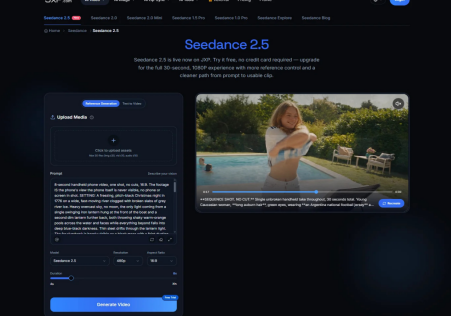
Generating with the eventual cut in mind gives those clips a clearer purpose. Creators using Seedance 2.5 on JXP can begin with text or supported references and select the duration and aspect ratio available in the interface. Those choices help shape the material entering an edit, although the finished sequence still depends on which moments are selected and how they join.
For a creator making an introduction, a visual story, or a promotional piece, a useful question is whether each shot leaves somewhere sensible to cut. That question changes the prompt, the way a result is watched, and the decision to generate another version.
Give the action room to begin and end.
Editors call spare material around a chosen section of footage “handles.” A little usable footage before and after the main action gives the editor room to adjust timing. When a generated clip begins at peak movement and ends halfway through a gesture, there may be very little flexibility left.
Consider a fictional sequence showing a paper shape unfolding on an empty table. The opening shot might establish the folded shape, the middle shot reveal the movement, and the final shot let the unfolded form settle. Asking every generation for constant transformation could leave three energetic clips with nowhere comfortable to connect them.
A more usable prompt describes the progression: the folded shape rests briefly, unfolds once, then remains still while the camera holds its position. This is a direction to test, not a promise of exact timing. Watch the output and identify the interval where the shape and movement remain coherent.
Keep the example simple enough to judge. An original abstract object avoids the extra accuracy demands of a recognisable product. If reference generation is useful, upload only material permitted by the platform and cleared for the intended processing and publication. The available reference settings should support the scene rather than complicate it.
Choose to join while watching both shots.
Two clips do not have to look identical to belong together. What matters is whether the transition gives the viewer a sensible next image. A close-up can follow a wider view because it directs attention to something already introduced. A change of setting can work when the movement or narrative makes the change understandable.
Review the outgoing and incoming shots as a pair. In the paper example, cutting from the folded object to its unfolding may work better than jumping between two nearly identical views with slightly different shapes. The second option can look like a mistake even if both generations are individually attractive.
The following checks help locate the problem before another generation is commissioned.
| At the cut | What to inspect | Possible response |
| Movement | Does the subject unexpectedly reverse direction? | Choose a different moment or request a compatible movement. |
| Object state | Does a folded object suddenly become partly open? | Include the missing action or make the time change deliberate. |
| Framing | Are two views almost identical but visibly mismatched? | Try a more distinct close-up or a wider view. |
| Ending | Does the last action finish before the next image appears? | Trim differently or request a settled ending. |
A dissolve will not automatically resolve these problems. It may make a changing object more noticeable by displaying both versions together. Try a simple cut first so the connection can be judged without an effect masking it.
Generate the missing shot with a specific purpose.
Once a rough sequence exists, the next request can be much narrower. Perhaps the edit needs a quiet opening, a detail shot, or a longer view of the final arrangement. Describe that missing piece instead of asking for another complete interpretation of the whole video.
For an original abstract scene, Seedance 2.5 text to video offers a way to try that additional shot without first assembling a large reference collection. A request might specify a close view of the paper resting on the same plain surface, with gentle movement and no additional objects. Where appearance needs stronger guidance, the reference generation option can be considered separately.
Neither route guarantees a matching result. Compare the new clip beside the actual neighbouring shots. A useful addition earns its place by resolving the missing visual step, even if it is less spectacular than an earlier take.
Keep problems in the right stage of production.
Some faults justify another generation. An object that changes shape unintentionally, an action that never completes, or a camera move that hides the subject can make the required moment unusable. Other changes are ordinary editing tasks: shortening a pause, placing an end title, or balancing the soundtrack.
Separate those decisions before spending more generation credits. If the usable portion already exists, mark it and test it in the sequence. If the essential action is missing, write down exactly what the replacement must provide. Check the current credit requirements before committing to more attempts; a longer output does not necessarily supply more useful material.
Sound also needs attention across the cut. Independently generated clips may contain abrupt changes in ambience or music. Where appropriate, build a continuous soundtrack in the editor using audio cleared for publication. Keep meaningful speech and sound cues aligned with accurate captions. These finishing choices should be made in the editing tools actually available, without assuming the generator includes a complete timeline editor.
Finish with the sequence on screen.
Play the assembly from the beginning without stopping to admire individual frames. Does the object become recognizable before it moves? Is the unfolding clear? Does the ending last long enough for the viewer to understand the final image? A clip that fails those questions may need a shorter selection, a different neighbor, or a replacement.
For a first attempt, make a small sequence with one original subject and a visible change. Use Seedance 2.5 to create the material, then choose the cuts in an editor. Keep the take that makes the sequence easier to follow, and save the unused versions separately so they do not clutter the working timeline.