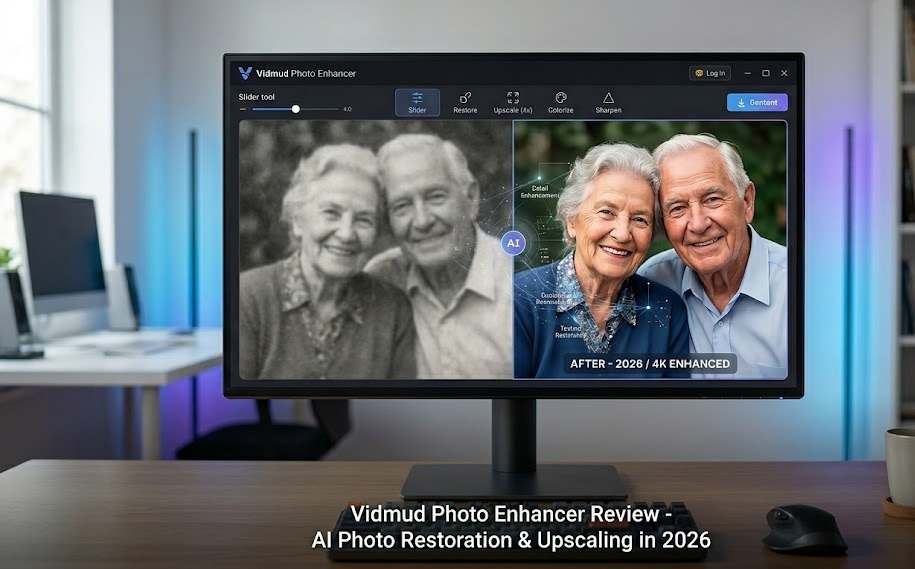
Poor image quality can ruin an otherwise perfect photo. Whether you’re dealing with blurry selfies, old family pictures, low-resolution product photos, or social media content that lacks sharpness, modern AI tools can help restore and enhance images in seconds.
One tool that has gained attention recently is Vidmud Photo Enhancer, an AI-powered platform designed to improve image quality, restore old photos, remove noise, sharpen details, and upscale images without requiring advanced editing skills.
We’ll explore how Vidmud works, its key features, and why it stands out as a powerful AI photo enhancer for both casual users and professionals.
What Is Vidmud Photo Enhancer?
Vidmud Photo Enhancer is an AI-based image enhancement platform that helps users improve photo quality online. The platform uses advanced artificial intelligence models to analyze images and automatically enhance clarity, resolution, facial details, colors, and overall sharpness. According to Vidmud, users can upscale images by 2x, 4x, or even 8x while also reducing noise and repairing damaged photos.
Unlike traditional photo editing software that requires manual adjustments, Vidmud automates the enhancement process with just a few clicks.
Why AI Photo Enhancement Matters
Photo enhancement technology has evolved significantly over the past decade. Modern AI systems can intelligently reconstruct image details, improve resolution, and restore damaged photographs through deep learning models and image super-resolution techniques. Research in AI-powered image enhancement has shown remarkable improvements in recovering realistic textures and visual quality from low-resolution images.
This means users no longer need professional editing skills to improve their photos.
Key Features of Vidmud Photo Enhancer
1. AI Image Upscaling
One of the most useful features of Vidmud is its image upscaling capability. Users can enlarge images while maintaining clarity and detail. Instead of simply stretching pixels, the AI reconstructs missing details to create sharper results. Vidmud supports image upscaling up to 8x resolution.
2. Photo Restoration
Old photos often suffer from fading, scratches, blur, and damage. Vidmud includes AI restoration technology that helps recover damaged photographs and improve image quality automatically. This makes it useful for preserving family memories and historical photos.
3. Facial Enhancement
Portrait images require special attention because human faces reveal imperfections quickly. Vidmud uses facial analysis and portrait enhancement technology to sharpen facial features while maintaining a natural appearance.
4. Noise Reduction
Low-light photography often introduces grain and digital noise. Vidmud’s AI algorithms can identify unwanted noise and reduce it without excessively blurring important details.
5. Additional AI Editing Tools
Beyond image enhancement, Vidmud offers several AI-powered editing features, including:
- Background removal
- Object replacement
- Face retouching
- Style transfer
- AI outpainting
- Lighting and color adjustments
These tools allow users to do much more than simple photo enhancement.
How to Use Vidmud AI Photo Enhancer
Using Vidmud Photo Enhancer is simple and requires only a few steps:
Step 1: Upload Your Photo
Visit the Vidmud AI Photo Enhancer page and upload the image you want to improve from your device.
Step 2: Enhance the Photo with AI
After the image is uploaded, Vidmud automatically analyzes and enhances the photo. The AI improves image quality by sharpening details, reducing noise, restoring damaged areas, and increasing resolution where needed.
Step 3: Preview and Download
Once the enhancement process is complete, preview the improved image and download the final version to your device.
The entire process takes only a short time, making it an efficient solution for restoring old photos, improving social media content, and enhancing professional images.
Who Should Use Vidmud?
Content Creators
Social media creators need high-quality visuals to attract engagement. Enhanced images help improve content performance across platforms.
Photographers
Photographers can use Vidmud to improve image quality, recover details, and prepare photos for printing.
E-commerce Sellers
Product photos play a major role in online sales. Higher-quality images can make products appear more professional and trustworthy.
Families Restoring Memories
Old family photographs can often be restored and preserved with AI enhancement technology.
Vidmud Pros and Cons
Pros
- Easy-to-use interface
- AI-powered image enhancement
- Photo restoration capabilities
- Image upscaling up to 8x
- Noise reduction and sharpening tools
- Additional AI editing features
- No advanced editing skills required
Cons
- Results may vary depending on image quality
- Extremely damaged images may still require manual editing
- Advanced professionals may prefer additional manual controls
How Vidmud Compares to Other AI Photo Enhancers
Many AI image enhancement tools focus on a single task such as upscaling or face restoration. Vidmud combines multiple enhancement and editing features into a single platform, allowing users to improve, restore, and edit photos without switching between different tools. Its combination of image enhancement, restoration, and creative editing features makes it a versatile solution for a wide range of users.
Final Verdict
If you’re looking for a reliable and beginner-friendly solution to improve image quality, Vidmud Photo Enhancer is worth considering. The platform combines AI-powered upscaling, restoration, facial enhancement, and editing tools into a single workflow that is accessible to anyone.
Whether you’re restoring treasured family photographs, improving social media content, or enhancing product images for your business, Vidmud provides a practical and efficient solution.
For users searching for a powerful AI photo enhancer that delivers fast results without a steep learning curve, Vidmud stands out as one of the most useful options available today.