Remote work offers flexibility, but that can change quickly if the connection drops. One person might log in from a cafe, another from a hotel, and someone else from home. When problems with access or security come up, it’s clear that business continuity is about more than just being online. It’s about making sure everyone can connect, data stays safe, and work keeps moving, no matter where people are working from each day.
iTop VPN for Windows is made for remote teams that want to stay connected and safe. With encrypted traffic, you pick a server location that works best, and you can use simple tools to stop data leaks or websites from tracking you.
What iTop VPN Is
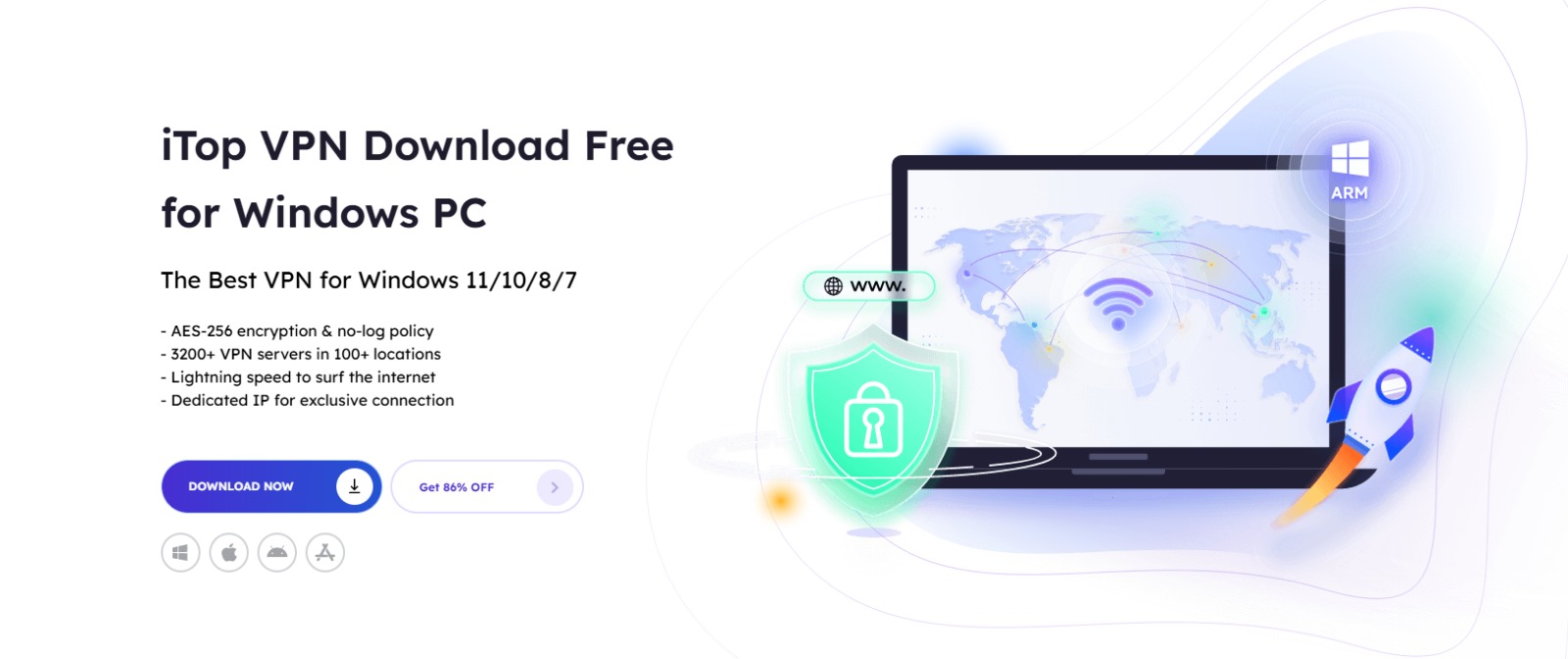
iTop VPN is compatible with Windows 7, 8, 8.1, 10, and 11. It protects your online activity with AES-256 encryption, keeping your data private from your internet provider, government, and advertisers. You can also reach sites or services that may be blocked, which is useful for teams traveling or working overseas.
It supports Windows on ARM devices like Microsoft Surface and Samsung Galaxy, and a single account can connect up to eight devices at the same time. For teams with mixed devices at home, an HTTP proxy option lets devices on the same LAN use the VPN connection through the main machine, including Windows, MacOS, iOS, and Android.
Why VPN matters for business continuity
Business continuity means making sure work doesn’t grind to a halt if something goes wrong. But when people work from home or travel, the things that were simple in the office can suddenly get tricky or even risky.
Common continuity problems include:
- Using Wi‑Fi you can’t trust, which could let someone snoop on your data.
- Running into websites or tools that are blocked just because you’re working from a different place.
- Getting slowed down by your internet provider right when you need to upload files, join a call, or share your screen.
- Those annoying moments when your VPN drops for a second, leaving your IP address exposed while you’re in the middle of something important.
- Weak passwords or worse, leaked login details that put your accounts at risk.
That’s where iTop VPN comes in. It’s designed to take the stress out of remote work by protecting your identity, keeping what you do online private, and making sure you have a steady connection no matter where you’re working from.
Features that keep remote work stable and secure
Strong encryption and a no-log policy
iTop VPN uses AES-256 encryption, so your information stays safe, even if you’re working on a public Wi-Fi at the airport or a café. The no-log policy means your private details aren’t being followed or stored.
This combination supports privacy and keeps everyday activity less exposed when employees work from unpredictable networks.
Global servers and access across regions
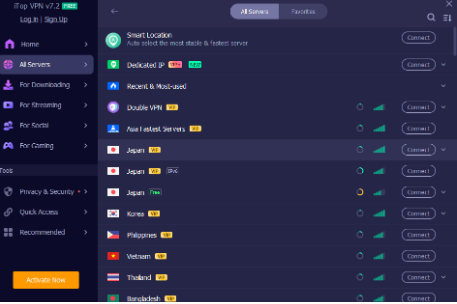
iTop VPN provides 3200+ servers in 100+ locations. When a service is unavailable in a specific country or office network, switching regions can restore access quickly.
This helps teams continue working during travel, temporary relocation, or when local restrictions disrupt normal browsing.
Unlimited bandwidth and steady performance
If you work remotely, you know how often you’re syncing cloud folders, downloading files, joining video calls, or uploading deliverables. iTop VPN doesn’t put limits on your data or bandwidth and they’re upfront about not slowing you down. They even help you avoid those annoying slowdowns from your internet provider.
So, when things get busy, you’re less likely to hit a slowdown, and you can count on a steady connection even when the work really matters.
Dedicated IP and flexible IP options
Some teams need their IP address to stay the same. This is important if a company’s tools or software get confused by changing locations. With iTop VPN, you can get a dedicated IP in places like the US, UK, Canada, or Germany and know you’ll get the same one each time.
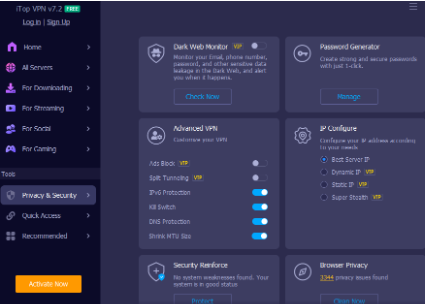
For broader flexibility, IP Configuration includes best server IP, dynamic IP, and static IP modes. Super Stealth adds a rotating IP option, which is useful when employees need extra privacy while browsing or working in restrictive environments.
Kill Switch helps keep your data private
Remote work relies on Wi‑Fi, but sometimes the connection drops. If your VPN disconnects without warning, your internet traffic might switch back to an unprotected connection.
iTop VPN has a Kill Switch feature. If your VPN connection drops, your computer will immediately disconnect from the internet and reconnect only when the VPN is working again. This keeps your files and work private, even if there are connection issues.
DNS, WebRTC, and IPv6 protections
Attackers do not always go after big systems. Sometimes they target smaller weaknesses, like DNS settings or browser leaks.
iTop VPN includes DNS Leak Protection to prevent system DNS settings from being modified and to reduce risks like hijacking and spam. WebRTC Leak Protection blocks browser leaks of public and private IP addresses in browsers such as Firefox and Chrome.
IPv6 servers are supported as well, with IPv6 connections set as a higher priority so Windows devices can connect using IPv6 protocol while maintaining security. For continuity, this matters because networks vary widely in how they handle IPv4 and IPv6.
Browser Anti‑Tracking and Ads Block
Remote workers often research, sign in, and manage accounts from the same browser they use for personal browsing. That mix can create unnecessary tracking and noise.
Browser Anti-Tracking quietly erases your digital tracks and works with all the big browsers—Chrome, Firefox, Edge, Safari, Internet Explorer, and Waterfox. Ads Block keeps those annoying pop-ups away, so you don’t accidentally click the wrong thing in a rush.
Dark Web Monitor and Password Generator
Continuity also includes account integrity. If credentials are leaked, a team can lose access to tools at the worst time.
Dark Web Monitor keeps an eye on shady websites and gives you a heads-up if your email, phone, or other info turns up somewhere it shouldn’t. Password Generator helps you create tough passwords and keeps a list with notes, so you don’t lose track of them.
Used together, these features help reduce the chance of account takeover and credential‑based disruption.
How to roll it out for a remote team
Step 1: Install on Windows devices
Download iTop VPN for Windows and install it on team devices, including x64, x86, or Windows on ARM where needed.
Step 2: Connect to the right region
Pick the server that’s closest to you for the fastest connection, or go with a specific region if you need access to certain services. Since there are servers all over the world, it’s simple to get everyone on the same page and keep things running smoothly during teamwork-heavy projects.
Step 3: Turn on core protections
Switch on the Kill Switch, DNS Leak Protection, and WebRTC Leak Protection. For extra peace of mind, activate Ads Block and Browser Anti‑Tracking. These help you steer clear of sketchy ads and keep your browsing history private.
Step 4: Choose an IP strategy
For employees who need a consistent login location, choose a dedicated IP. For most day-to-day work, best server IP is a simple default, and Super Stealth rotating IP is useful when privacy needs are higher.
Step 5: Cover more devices when needed
If a team member works from a home office with multiple devices, use the 8‑device connection limit per account where appropriate. For situations where the VPN needs to extend to other devices on the same network, enable the HTTP proxy service so additional devices can route through the VPN connection.
Conclusion
Most remote teams work hard, but problems usually start when someone can’t get online, security isn’t tight, or a small network issue stops progress. These small problems can slow everyone down.
With iTop VPN for Windows, your team can get work done safely—without jumping through hoops. You get encrypted traffic, servers around the world, unlimited bandwidth, flexible IP options, leak protection, a Kill Switch, browser clean-up, and account safety tools. Set it up, flip on the safety features, and your team’s good to go— working from anywhere, no extra stress.